Article Overview
A 0.00 light reception reading usually indicates no optical signal is being received, which can result from a faulty SFP, disconnected or damaged fiber, or misaligned connections.
Common Causes
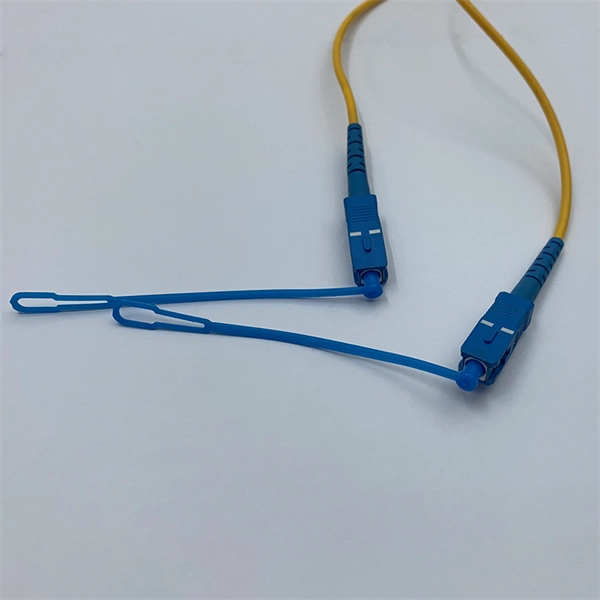
- Disconnected or Damaged Fiber If the fiber cable is unplugged, broken, or bent beyond its minimum bend radius, the optical signal cannot reach the transceiver, resulting in 0.00 RX power readings .
- Faulty or Incompatible SFP Transceiver The SFP module itself may be defective or incompatible with the switch. Some transceivers have strict vendor-specific thresholds for RX power, and a module outside these limits may report 0.00 even if partially functional .
- Incorrect TX/RX Pairing Optical links require proper pairing: the TX of one module must connect to the RX of the other, and vice versa. Swapping fibers or connecting the wrong ends can cause no reception .
- Dirty Connectors or Endfaces Dust or debris on the fiber connectors can block light transmission. Cleaning the connectors with proper fiber cleaning tools often resolves RX issues .
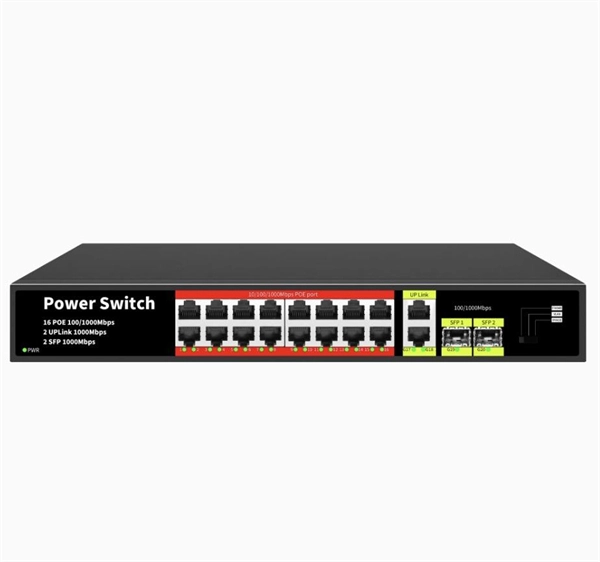
- Switch Port or Configuration Issues Some switches may disable the port if the SFP is not recognized or if the interface is administratively down. Verifying port status and configuration is essential .
Troubleshooting Steps
- Check Physical Connections Ensure the fiber is properly seated in both SFPs and that the correct TX/RX orientation is used.
- Inspect and Clean Fiber Endfaces Use a fiber inspection scope and cleaning kit to remove dust or contamination.
- Test with a Known Good SFP and Fiber Swap the SFP module and fiber with a working pair to isolate whether the issue is with the transceiver or the cable.
- Verify Switch Diagnostics Use commands like
show interfaces diagnostics optics(Juniper) orshow interface transceiver details(Cisco/Dell) to check RX/TX power, alarms, and warnings . A 0.00 RX reading with normal TX from the other side indicates a receiving problem. - Check for Alarms or Errors Look for high/low alarms or invalid module errors, which may indicate the SFP is not operating properly or is incompatible .
- Replace Components if Necessary If the SFP or fiber is confirmed faulty, replace it. Ensure the replacement meets the required specifications for wavelength, distance, and vendor compatibility.
Summary
A 0.00 light reception reading is typically a physical layer issue. Start by checking fiber connections, cleaning connectors, and verifying SFP compatibility. Use switch diagnostics to confirm RX/TX power levels and alarms. Swapping components with known good ones helps isolate the faulty element, whether it is the fiber, SFP, or switch port .
TV reception: problems and fixes
TV reception: problems and fixes Troubles with your TV could be because of reception issues or interference. If you have a sudden

Shelly USA
Shelly provides advanced smart home automation solutions for seamless control of lighting, temperature,
Nintendo Switch Troubleshooting: Fix Common Problems
Is your Nintendo Switch not working? You are not alone. View common problems and explore potential solutions. Learn the steps
All Nintendo Switch error codes and how to fix them
The Nintendo Switch launched globally with a huge bang in 2017. It is the first device designed to be played at home
Nintendo Switch Display Light Comes and Goes | Fix Nintendo Switch
Are you frustrated because your Nintendo Switch display light keeps coming and going, or
Why Your Nintendo Switch OLED Has No Display and
Why Your Nintendo Switch OLED Has No Display and How to Fix It Your Nintendo Switch
Nintendo Switch: Audio, Video & Touch Screen | Nintendo Support
Use this article when the console won''t wake up from sleep mode while docked or won''t display on the television while docked. How
Multimeter shows OL or 0.00 or 1.00. What''s wrong?
I''ve got a UNI-T UT33D multimeter that''s not working like I want it to, and I''m not sure how to find out what''s wrong or if it''s
Backlit screen but no display.
I recently replaced my switch LCD and digitizer. I had swapped out digitizers and everything worked great. A few days
Nintendo Switch Display Light Comes and Goes
Is your Nintendo Switch display light flickering or going on and off randomly? Whether
Switch Charges In Dock but Does Not Display to TV
I plugged everything in, and the dock light is green when I put my switch in, but nothing goes to the TV. I have tried different TVs and
Switch won''t output to Tv when docked : r/NintendoSwitch
Recently i got a tv set up in my room, i tried to connect my switch to the tv when docked but somehow there wasn''t any signal. The tv
How to Fix Nintendo Switch Screen Flickering & Display Light Issues
From a quick switch display fix to more advanced switch lcd repair advice, we provide a
Trying to FIX: NINTENDO SWITCH with NO DISPLAY on LCD or TV
Hi, in this ''trying to fix'' video I attempt to fix a Nintendo Switch which has a black screen in
Ross-Tech Forums
Ross-Tech Forum for VCDS There''s a bar I used to hang out in that closed a while back and I miss it, so I decided to
Nintendo Switch: Backlight But no Display;
Nintendo Switch: Backlight But no Display; Just wanted a second or third set of eyes to see if I missed something; I know the clamp
HONEYWELL RTH8580WF USER MANUAL Pdf
View and Download Honeywell RTH8580WF user manual online. Wi-Fi Touchscreen Programmable
The Battery Charge Indicator or Percentage Displays
Additional Information: The Nintendo Switch console takes approximately 3 hours to fully charge when the console is powered off or
Kaggle
" ''light'',n", " ''hearted'',n", " ''comedy'',n", " ''plot'',n", " ''simplistic'',n", " ''dialogue'',n", " ''witty'',n", " ''character'',n", " ''likable'',n", "
How to Fix the Nintendo Switch''s Battery Indicator
As part of the new 3.0.1 system update, Nintendo fixed a bug that was causing the system''s
FIXED: Nintendo Switch Lite No Image Issue
In this video, I troubleshoot a Nintendo Switch Lite consoles that power on but show no
Fixing problems with your smart meter''s in-home display
If it''s been over 48 hours since your in-home display started working differently, contact your new supplier to check if there are any
My switch doesn''t show up on tv but dock has green light?
Yes, the green light comes on, and switch "A" charges, but it has NEVER, EVER worked on the dock.
Connectrix: How to Interpret SFP Transceiver TX and RX Power
Using the measured light power levels displayed in the sfpshow (Brocade) and the show interface transceiver details
Troubleshoot Switch Port and Interface Problems
This document describes how to determine why a port or interface experiences problems.
Nintendo Switch system or accessory troubleshooting
To do that, we ask that you first visit the troubleshooting section for Nintendo Switch and select the issue you are experiencing. At
Check switch Satellite Input 2 Reception Error
Running check switch would show all 3 birds on Input 1, but on Input 2, one bird only (110) with a red box X''ed out in
Notes on the Troubleshooting and Repair of Television Sets
Series light bulb for current limiting during the testing of TVs, monitors, switching power supplies, audio power amplifiers, etc. I built a
Switch no display, no current (0A), no short
I have exactly the same problem with the switch lite I am trying to fix, however I do get a backlight when I plug in the
Nintendo Switch Display Issues : r/SwitchHacks
Possibly something metal has gotten inside and may be shorting against a display connection so it isn''t getting refreshed when it
Support Home | Dell US
Support for all your needs, in one place. Sign in to get personalized help and access your registered devices, software and existing
Blank Screen or No Image Displayed on the TV (Nintendo Switch)
Nintendo Switch console inserting into the Nintendo Switch dock No image displayed on TV screen If there is still no image on the TV
Common Problems with KVM Switch & Solutions (PART ONE)
Problem 2: The KVM switch''s lights are not on and it won''t power on. Problem 3: The KVM switch is on but nothing
Nintendo Switch troubleshooting: The ultimate guide
Nintendo Switch (Image credit: iMore) A downside to the way the Nintendo Switch dock is
Nintendo Switch not drawing any current
In this video I''m repairing a Nintendo Switch that doesn''t power on and doesn''t any power. The meter displays 15V when connected
switch touchscreen works, but no display : r/Switch
So ever since a few months ago our switch has been. Permanently docked due to a black screen, the touchscreen still works and
Switch not charging and blinking green light of death on dock
So recently my Switch has been declining power I provide it through my AC adapter and through the dock. Whenever I plug it into the
Related Resources
- Optical Transport Networks and Optical Access Networks
- Steel cable tray unit price
- Ghana Fiberglass Anti-corrosion Cable Trays
- Eye grapher remaining capacity
- What type of fiber optic cable is best for Guatemala
- What causes attenuation in bundled fiber optic patch cords
- Fiber Optic Cabling with Fusion Splice Trays
- Network cabinet bolts
- Ethernet to fiber optic cable then connected to the switch
- How to solve the problem of excessive optical attenuation in the beam splitter
- Where to buy network server racks in Germany
- Finland Custom Cable Tray Manufacturer
- Factory Distribution Box Cable Standards
- Where do the network cables enter the network cabinet